9 MacBook Screen Problems You Should Never Ignore Again
MacBooks are known for their world-class quality and reliability. Still, their displays are not immune to problems down the road. Failing to address these screen issues can result in significant problems and expensive repairs. Detecting periodic display problems as soon as possible enables users to achieve optimal performance and reduce stress. In this post, we shall discuss nine MacBook screen issues that must never be ignored.
Flickering Display
It can be challenging to complete everyday tasks, and the flickering screen may cause eye strain. Software problems, loose connections, or faulty hardware can all lead to this issue. The sooner you address the issue, the less damage will be done to sensitive internal components. Quickly addressing flicker also enhances user comfort and creates a more pleasant environment for work and entertainment. It is a wise choice to go for a MacBook screen replacement to restore full functionality and avoid further complications.
Persistent Black or White Screen
At times, the screen on the MacBook may display nothing except black or white. This condition may indicate a deeper issue, possibly with the graphics card or motherboard. If this is not heeded, it could result in an unusable computer. Quick determination of the fault or immediate diagnosis by a qualified technician is critical to avoid data loss and hardware failure.
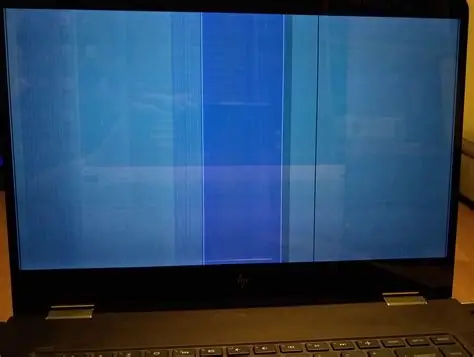
Vertical or Horizontal Lines Appearing
Visible lines running across the display suggest trouble with the screen itself or the internal cables. These lines can distract users and reduce productivity. If left unresolved, the issue could worsen and eventually render the screen unreadable. Taking action at the first sign helps maintain clarity and extends the device’s usability.
Dead Pixels or Bright Spots
Dead pixels are permanent dots that always remain black or white and cannot change colour. All of these can lead to the development of bright spots, which typically occur from pressure or trauma. Even if a couple of them may be harmless, they need to be investigated as indicators of manufacturing defects or physical damage. But at least that data allows you to monitor these changes and ensure a small problem does not become a significant annoyance.
Dim or Uneven Brightness
Dimmed areas on the screen are annoying because they can disrupt tasks that require a steady and clear light. The most common culprits for this issue are defective parts in the backlight or a display with an excessively long shelf life. This eye experience can lead to further asymmetry, so it is best to have them repaired or adjusted as soon as possible, as this maintains both visual comfort and accuracy.
Ghosting or Image Retention
Ghosting occurs when previous images remain visible on the screen, resulting in a ghostly shadow effect. That might be due to idle static images being too long or a bad panel. Ghosting, if left unattended, can soon turn permanent. This effect can be reversed or countered by varying what is placed before the audience and seeking professional advice.
Screen Freezing or Delayed Response
A slow or stuck screen disrupts workflow and creates annoyance. Software conflicts, insufficient memory, or hardware problems may cause these symptoms. If it battles with freezing in the future, it could crash more frequently and cause data corruption. System updates and diagnoses are often exceptionally efficient in making a smooth operation.
Colour Distortion or Faded Display
One of the most crucial aspects related to image accuracy, especially if you are involved in creative work, is the colours. Distorted colours or faded images can affect the visual quality. Such changes are primarily due to issues with graphics cards, faulty connections, or aging screens. Overlooking colour issues makes the device less useful for photo editing, design, or entertainment. Quick action means good and right pictures.
Physical Cracks or Pressure Marks
We also need to pay attention to physical damage, such as cracks or pressure marks. They can still become compromised points that can spread and become a failure point for the entire display. Pressure marks may also indicate internal stress that can affect other components. Prompt repair or replacement prevents further damage and keeps the device safe for use.
Conclusion
Display issues cannot be neglected because they can shorten a MacBook’s lifespan and negatively impact productivity. Regardless of whether screen trouble is minor or severe, users can avail prompt attention. Most problems can be avoided with regular maintenance, software updates, and careful handling. Getting help when needed allows the MacBook to continue serving as a valuable tool, whether an owner needs to get work done or relax, as appropriate. By taking screen issues seriously, you ensure the device functions properly and protects sensitive data.
You May Also Like

American Bitcoin’s $5B Nasdaq Debut Puts Trump-Backed Miner in Crypto Spotlight

White House AI and Crypto Czar: CLARITY Act Markup Coming in January